Choose a logbook export format
CSV exports all voyage fields with a UTF-8 byte-order mark. Excel creates an XLSX workbook with 25 voyage columns. PDF creates a landscape A4 report with a cover page, summary, and voyage table.
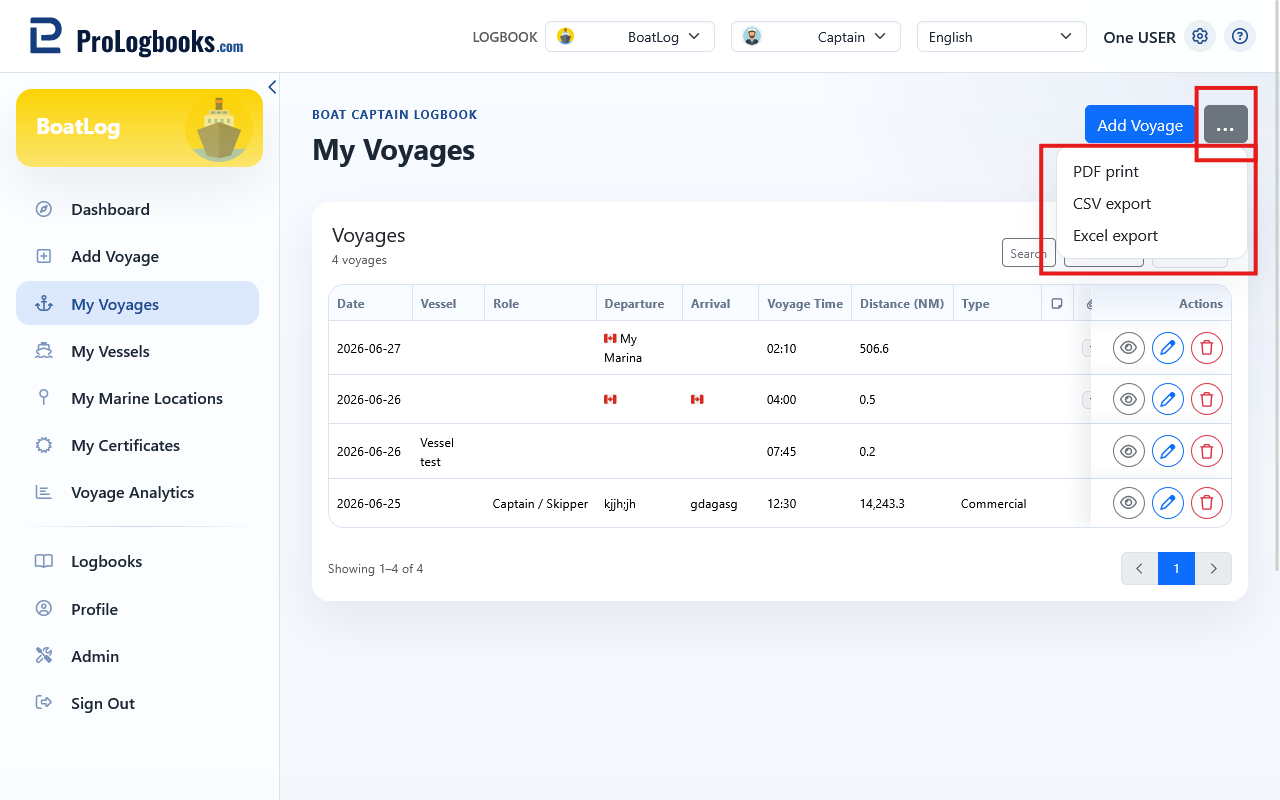
- Confirm that the correct Boat Captain Logbook is selected.
- Open Exports and choose CSV, Excel XLSX, or PDF.
- Save the generated file and inspect it before sharing or archiving it.
- XLSX and PDF are unavailable when their required server support is not installed.
- Exports contain personal logbook information; store and share them appropriately.
Export one recorded route
Open a voyage detail page to export its route as GeoJSON or GPX. GPX is available only when route points exist; check route files before using them elsewhere.
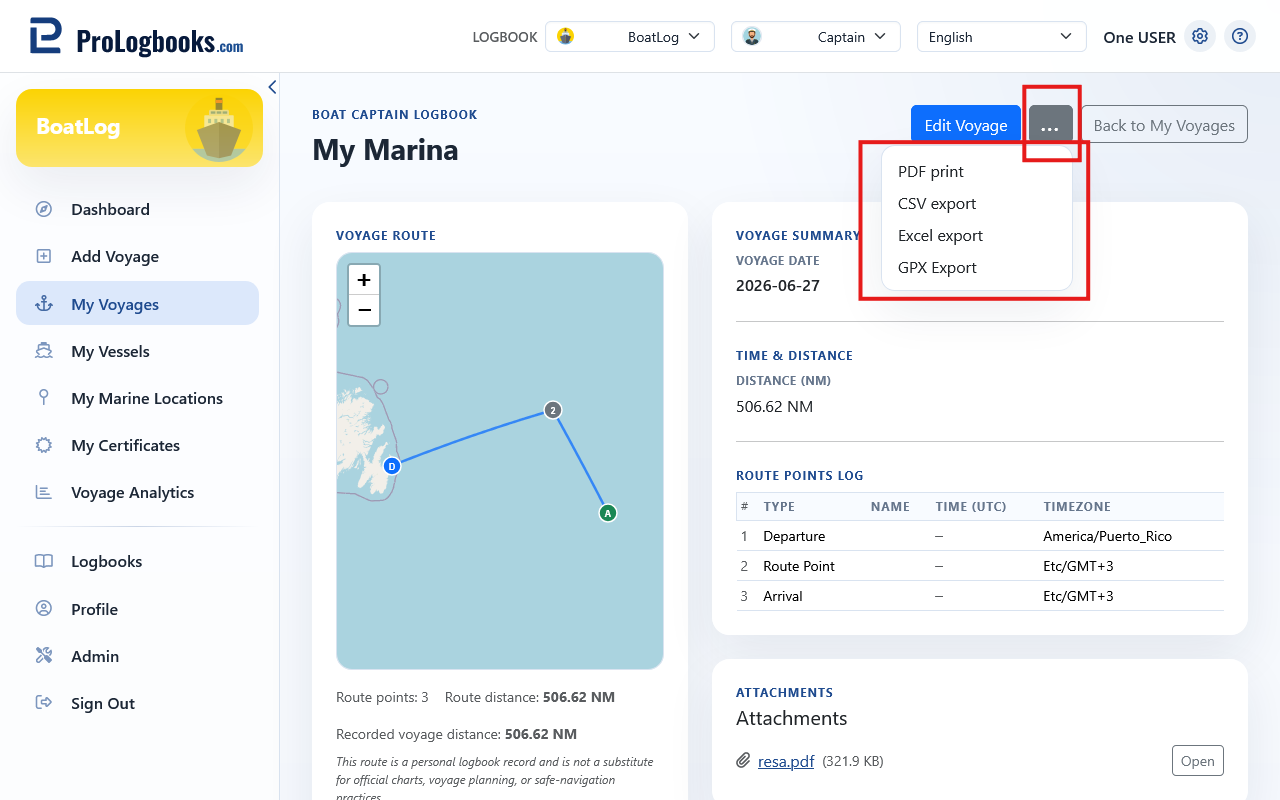
- Open the voyage containing the route.
- Choose GeoJSON or GPX route export.
- Download the file and confirm that it represents the intended voyage.
If something goes wrong
- If export controls are locked or missing, confirm that the account has a paid plan with export access.
- If XLSX or PDF is unavailable, use CSV or ask the local administrator to verify the required component.
- If GPX is unavailable, add and save route points first.