Select a plan and continue to the secure payment page
Start from the Account or Billing area when you want to move from the free plan to a paid one, or when you want to change to another paid plan. Compare the plan cards carefully so you choose the level that matches the features and capacity you need.
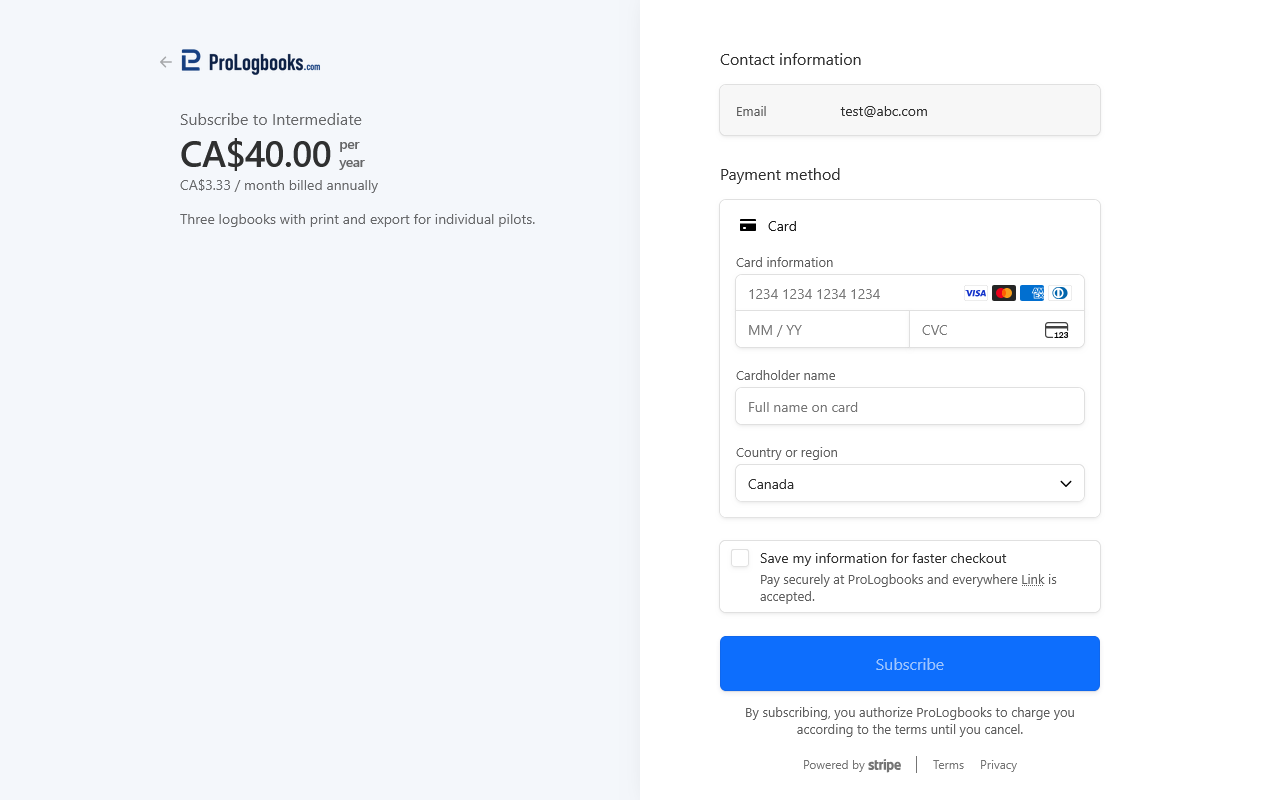
When you choose a paid option such as the monthly or yearly purchase button, the system redirects you to a secure payment page outside the main workspace. Review the plan, price, and billing frequency there before you confirm the purchase.
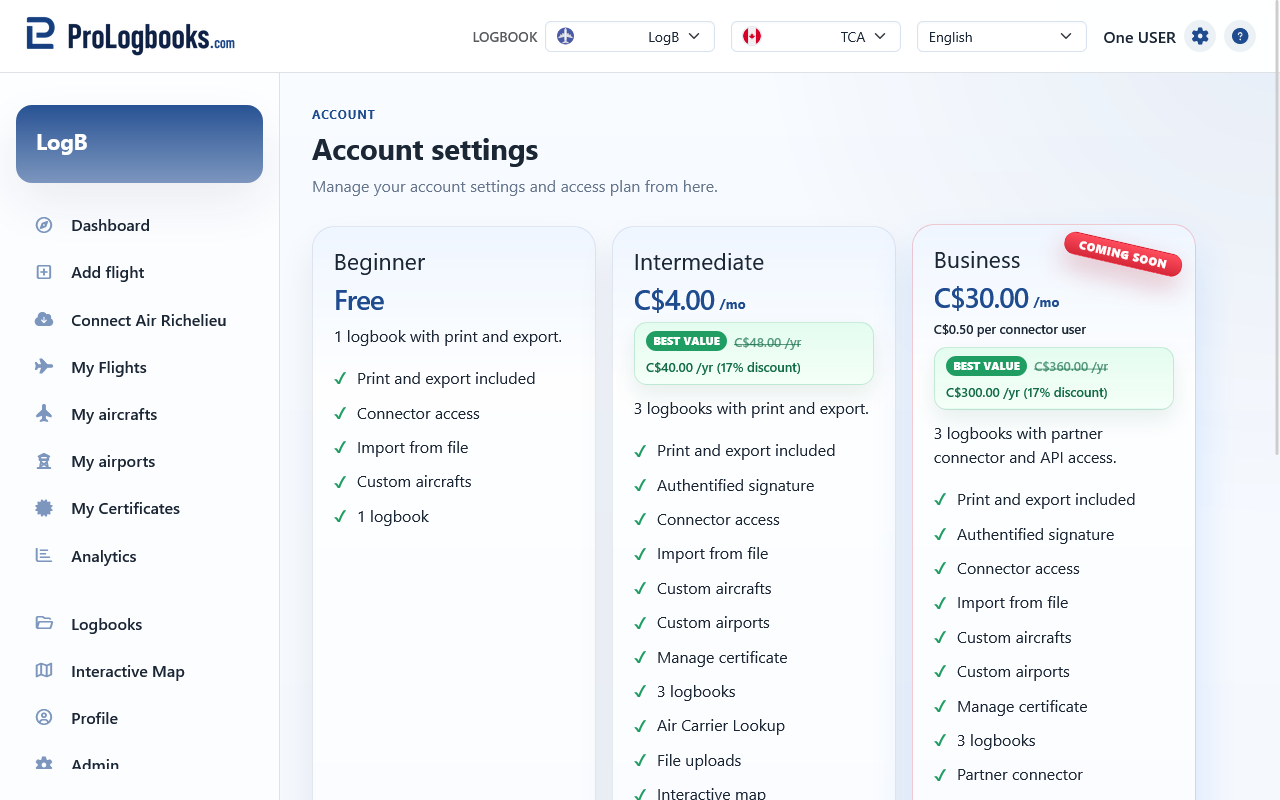
- Open the account plan area and compare the available plans.
- Choose the plan and billing frequency that match your needs.
- Continue to the secure payment page.
- Review the order summary carefully before confirming payment.
- Complete the payment and wait for the system to return you to the workspace.
Redeem a promo code for a free month
A promo code is a one-time code issued by an administrator for a specific account. It can activate one free month of a monthly paid plan without asking for credit card information.
The code may also have an expiry date. The expiry date controls how long you have to redeem the code; it is not the same as the length of the free month. After you redeem a valid code, the free access lasts for the one-month period shown on your account, currently 31 days from activation.
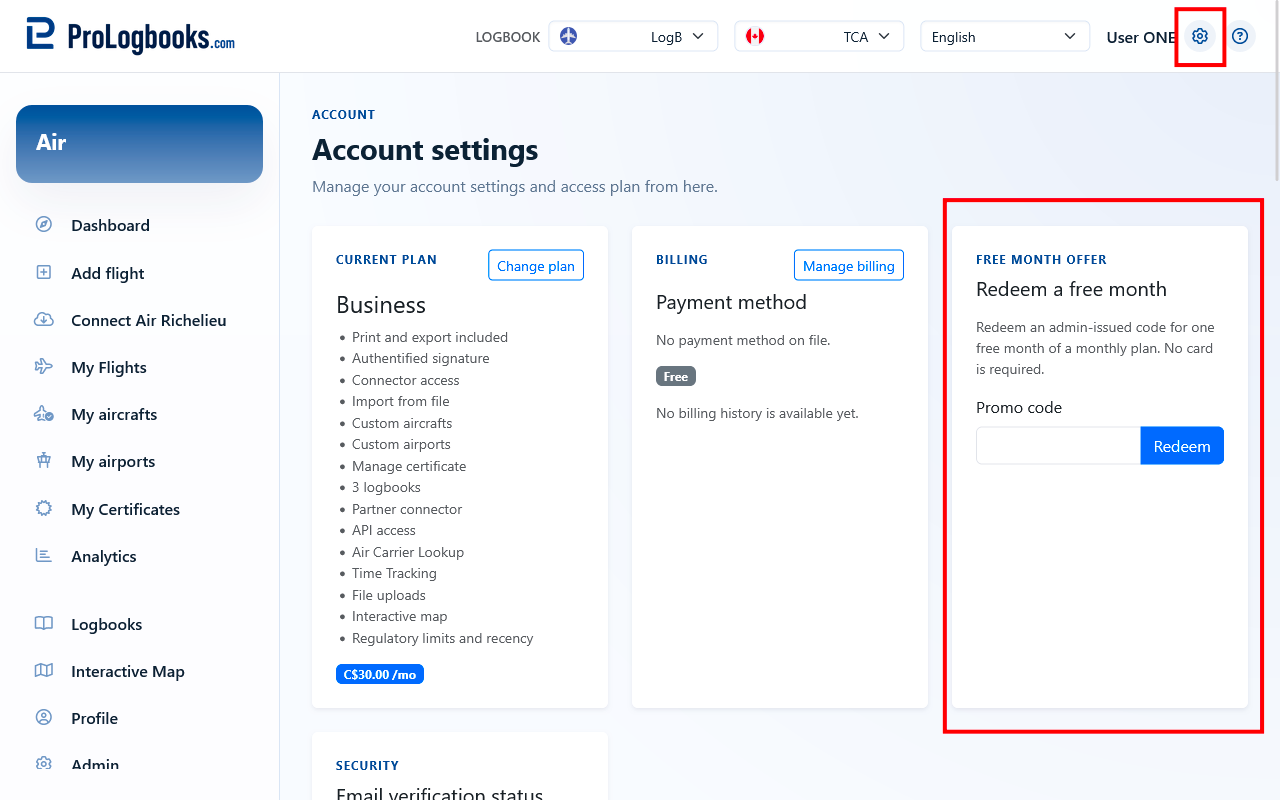
- Open the account plan area or the Plans page while signed in.
- Find the promo code form.
- Enter the code exactly as it appears in the email or message you received.
- Submit the code and check the confirmation message.
- Open Billing or Account to confirm the plan and access-until date.
Understand what happens after payment
After a successful payment, the subscription becomes visible from the Billing page. You can review the subscription status, the next renewal date when applicable, the access-until date, and the recent invoice history from there.
The application does not process card numbers itself and does not store sensitive payment information such as the full card number or security code. Payment authorisation and recurring billing consent are handled by the payment provider, while the workspace keeps only limited billing details needed to show status, identify the saved payment method, and list invoices.
Use the Billing page to review the subscription and invoices
The subscription card helps you confirm which plan is active and when the current paid access renews or ends. The invoice area shows the billing history so you can review charges and open invoice documents when they are available.
Use this page whenever you want to confirm that the correct plan is active before using a paid feature elsewhere in the workspace.
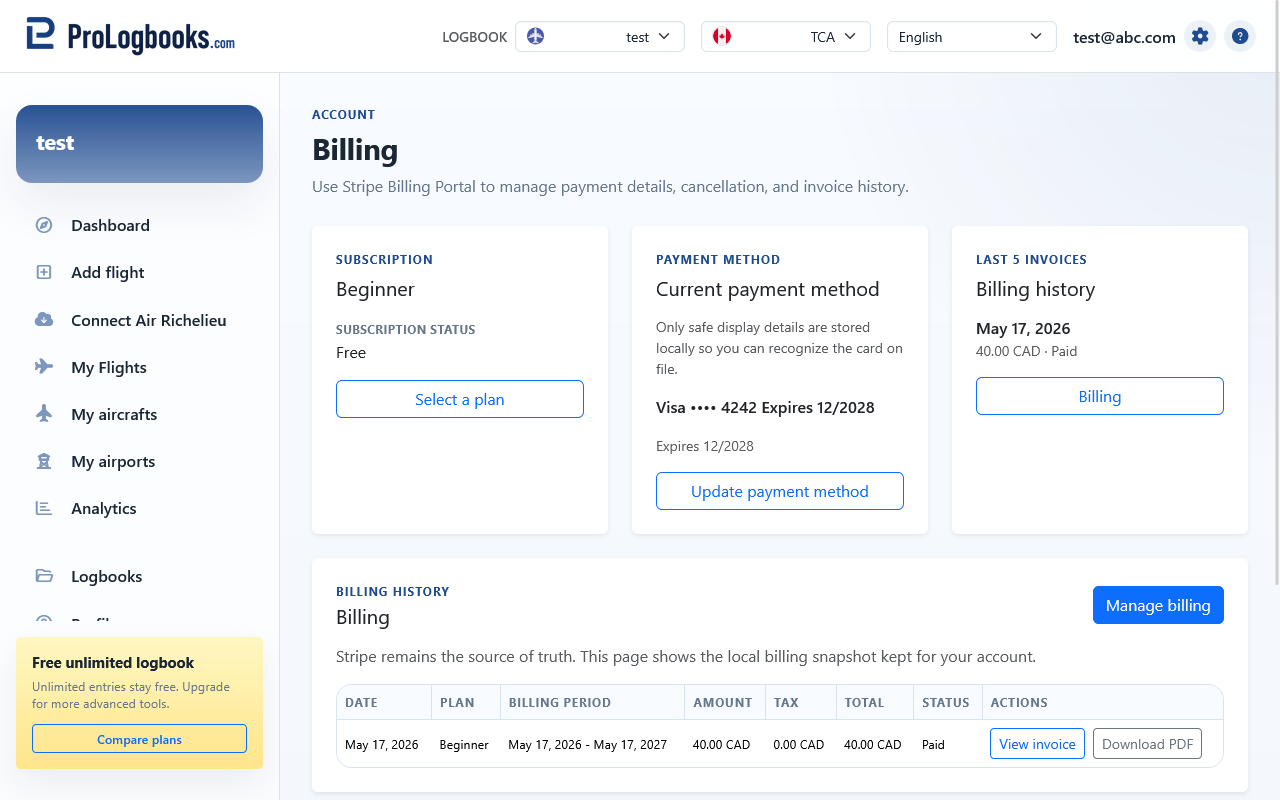
- Open Billing after the purchase is completed.
- Check the subscription status and the renewal or access-until date.
- Review the payment method label shown on the page.
- Open the invoice history if you need to confirm a past charge or download a document.
Change the payment method or stop recurring renewal
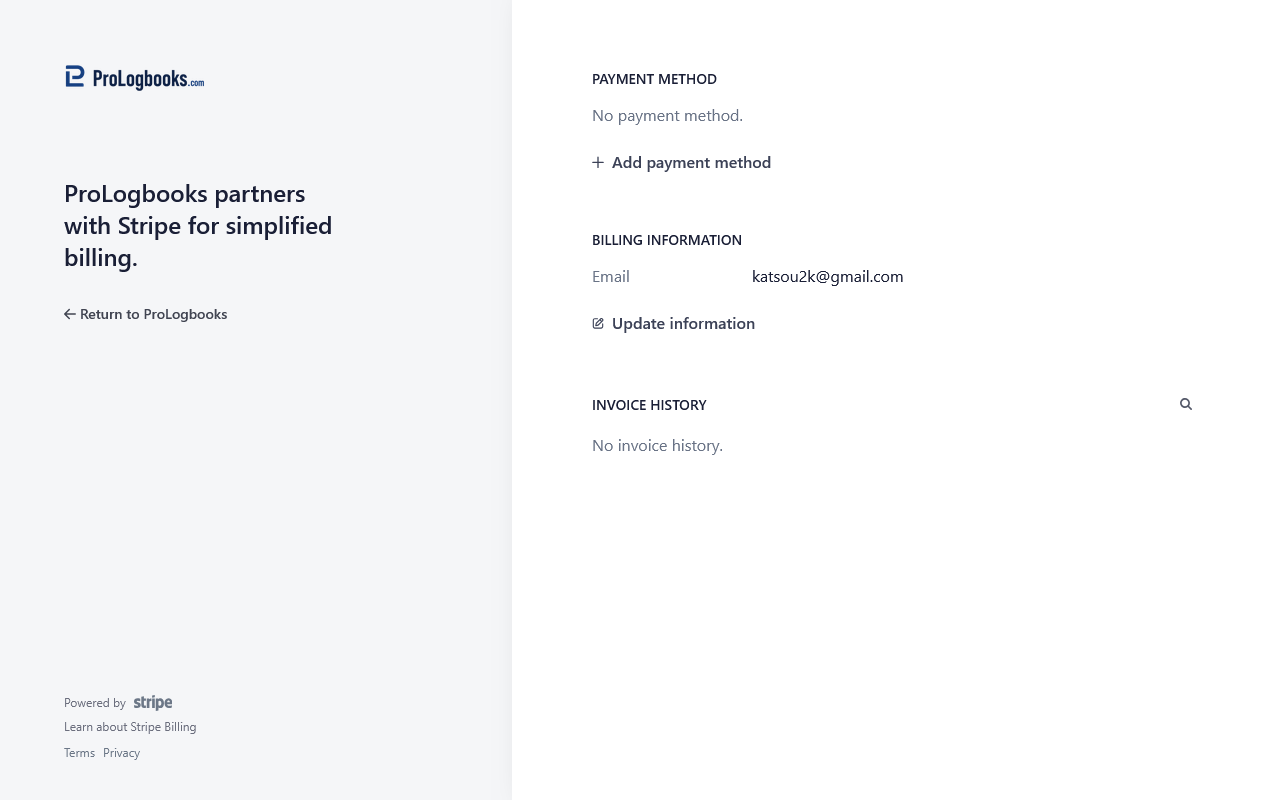
Use Update payment method when you want to replace the card or other saved payment method used for future renewals. Use Manage billing when you need the full billing management page, including invoice access and the option to stop automatic renewal.
If you stop recurring renewal, the subscription normally stays active until the end of the already paid period shown on the page. After that date, the account no longer renews automatically unless you subscribe again.
- Open the Billing page.
- Select Update payment method if you only need to replace the saved payment method.
- Select Manage billing if you need to review invoices or stop automatic renewal.
- Confirm the change on the secure billing management page and then return to the workspace.
Know what happens if payment fails or the paid period expires
If a renewal payment fails, the Billing page can show a payment issue or a pending billing state. In that situation, update the payment method or complete the outstanding payment as soon as possible so the renewal can continue normally.
If the paid period reaches its end without a successful renewal, the account falls back to the free plan automatically. Your saved data is not deleted just because the paid subscription ended. Flights, logbooks, certificates, aircraft, airports, and other saved records remain in the account, but paid-only features can become unavailable until you renew or upgrade again.
If something goes wrong
- If a paid plan button does not continue to payment, sign in first because paid subscriptions must be completed from an authenticated account.
- If a promo code is rejected, check that you are signed in with the account that received the code, that the code has not already been used, and that its redemption expiry date has not passed.
- If the Billing page shows no saved payment method, open the billing management page and add or update the payment method there.
- If a renewal fails, do not wait until the access period ends. Correct the payment method early so the account does not fall back to the free plan.
- If a paid feature becomes unavailable after expiry, check the current plan first and then renew the subscription if you still need that feature.